
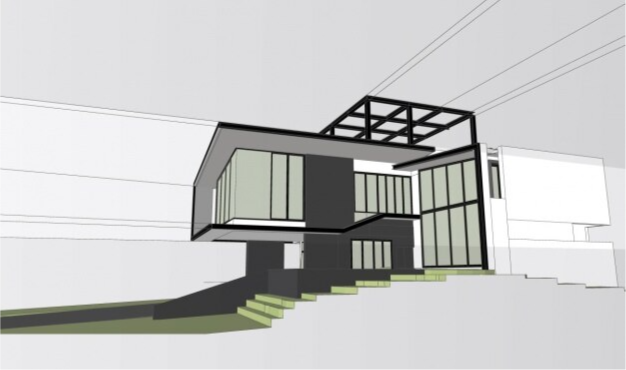
Online learning makes professional design tools easier to study from anywhere. The students can enroll in a sketchup course to boost their 3D modeling skills. They can learn basic drawing and move to professional-level design work.
What to expect from SketchUp?
The next step is to learn the SketchUp advanced module after the fundamentals. The course focuses on:
● deeper tools
● efficient workflows
● real-world project development
A SketchUp advanced module is designed for learners who already understand the following:
● basics of navigation
● drawing tools
● simple modeling
The goal is to expand those skills. Thus, students can create:
● more detailed models
● improve productivity
● present professional design concepts
The module includes:
● guided projects
● demonstrations
● practical exercises
The module helps learners apply advanced techniques.
Mastering advanced modeling tools
Learning how to use complex modeling tools more effectively is a main topic in the advanced SketchUp module. Students move beyond simple shapes. It starts working with:
● detailed geometry
● components
● groups
The tools organize large models and make editing easier.
For example:
A learner designing a modern house model uses components to duplicate:
● windows
● furniture
They can create one component and reuse it throughout the design, instead of rebuilding each object. This saves time and keeps the project organized.
Advanced modeling introduces tools like:
● solid operations
● advanced push-pull techniques
Users can create more precise structures. These features help learners produce professional-level designs used in:
● architecture
● interior design
● product modeling
Learners create complex and organized designs by mastering advanced modeling tools. This is an essential skill for professional projects.
Visual presentation
Improving visual presentation is another important topic in advanced SketchUp. Online modules help students learn how to apply the following:
● realistic materials
● textures
● lighting
The step turns a simple 3D structure into a design that looks more complete and professional.
For example:
A student working on an interior design project applies wood textures. These wood textures are used to:
● floors
● metal materials
● fixtures
● glass effects on windows
The model is easy for clients or instructors to visualize by adjusting these materials. Many online courses introduce rendering tools or extensions. It helps produce high-quality images from SketchUp models. This is useful for:
● presentations
● portfolios
● project proposals
Learners transform simple models into visually clear and professional presentations by understanding materials and lighting.
Learning efficient workflow and project organization
Organization becomes more important as projects become larger. Advanced modules focus on workflow strategies to help students manage complex models easily. It includes using:
● layers
● scenes
● structured modeling techniques
These tools help learners break large projects into manageable parts. Designers can have advanced editing tasks. They can build on details separately, such as:
● structures
● furniture
● landscaping
This makes editing faster and reduces mistakes.
Online lessons demonstrate the real workflows used by:
● Architects
● Designers
Learners develop habits tot improve productivity by following these practices. The time spent fixing errors is reduced.
Learners manage complex designs smoothly with efficient workflow strategies. They can prepare for professional design environments.
Creating professional project presentations
Advanced SketchUp modules teach students how to present their work clearly. This includes:
● creating scenes
● exporting images
● preparing visual layouts
For example:
A learner designing a small cafe creates several scenes that show the following:
● exterior view
● interior seating area
● kitchen layout
These scenes are:
● exported as images
● used in presentation slides
Students can build a complete design. They present it as part of their learning portfolio.
Learners communicate design ideas effectively and professionally showcase their projects with their presentation skills.
FAQs
What is an advanced SketchUp module?
An advanced module is a training level that focuses on:
● deeper modeling tools
● efficient workflows
● professional project development
Who can take an advanced SketchUp program?
Students who already understand the basic SketchUp should take the advanced module.
Can advanced SketchUp skills help with online design careers?
Yes. Advanced skills can support careers in:
● architecture
● interior design
● product design
● other fields that use 3D modeling
A SketchUp advanced module helps learners move from basic modeling to more professional design work.
